How to start blogging?( Full guidance ) part 3
How to start blogging?
( Full guidance )
Part : 3
☆Blogging Platform :
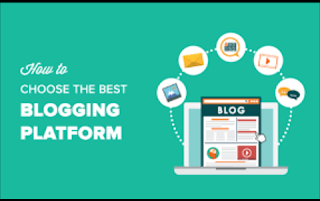

The first step of creating a blog includes choosing a blogging platform. A blogging platform is a software you use to create a blog and publish content. It is a type of content management system (CMS). Multiple blogging platforms are available online which offer a set of blogging tools and services providing everything you need to set up and run a blog. A platform can be free or paid.
¤WordPress :

Over 15 million websites on the internet use WordPress, which is almost 30% of all websitesworldwide, making WordPress the most popular CMS platform. There are over 76 million wordpress.com blogs.

Over 15 million websites on the internet use WordPress, which is almost 30% of all websitesworldwide, making WordPress the most popular CMS platform. There are over 76 million wordpress.com blogs.
The principal two reasons for such a huge WordPress popularity is that this is a user-friendly and search engine friendly platform. This means that you do not need much experience in coding or web design to create a WordPress blog. Also, the platform supports a lot of plugins and extensions to optimize the blog even more and add features that are not a part of the core platform. As a result, search engines find it easy to index such a website and present them to their users as a response to a search query.
If you are interested in exploring WordPress as a platform, you will have two options to choose from:
WordPress.com and WordPress.org The
platform is the same in both cases, but these
WordPress.com and WordPress.org The
platform is the same in both cases, but these
represent two different solutions for bloggers.
¤BLOGGING

This is another popular blogging platform. It is hosted by Google and allows creating blogs with blogspot.com used as a part of the domain name. A custom domain can also be registered to remove the blogspot.com from the name and Google allows this for free. To create the blog using this platform, you will need a Google account.
An opportunity to create a blog for free and to easily set up the blog are common reasons for
choosing this blogging platform. However, this solution offers fewer options forcustomization
with hardly any blog templates to choose from.
¤ Blogger provide you different features :
• Adding location to posts through geotagging options
• Country-specific extension in the URL
• Blog is hosted on Google servers, which are considered as very reliable (but offers no
option to upgrade to self-hosted solution)
• Drag-and-drop templates editing interface
• It supports Google’s AdSense service enabling bloggers to generate revenue from blogging
• It can be easily integrated with Google+ encouraging user engagement
• Mobile application is available for blog management
• Blog description is limited to 500 characters (HTML markup is not supported)
• Individual blog pages are limited to 1MB
• Blogger Product Forum offers online support.
In general, this blogging platform is used by beginners and those who consider blogging as a hobby. Numerous limitations and poor customization options are the main reasons why professionals and ambitious bloggers, as well as companies, seek a more flexible and
upgradable solution.
¤Tumblr
Here is another easy-to-use blogging solution which comes with no additional monthly costs. The platform itself is designed as a micro blogging platform which features short-form blog articles, quotes, images, etc. The opportunity to follow other blogs and get followers gives that social flair, thus increasing the engagement level. In December 2017, Tumblr reports havingover 381 million blogs

When you register to the platform, you get a subdomain of tumblr.com. It is possible to remove this and use your own domain name, but you will have to register the domain name using another online service. Some of the highlights for choosing Tumblr:
• Great interaction with Twitter and Facebook, so you can automatically republish on Tumblr or vice versa.
• It is one of the fastest growing blogging platforms
• Plenty of opportunities for blog customization including a possibility for HTML editing
• Email or text publishing system allowing you to post quickly and easy
• Live feed shows recent blog posts of the users you follow which increases engagement and content visibility
• Tagging content increases the opportunity to get discovered

Comments
Post a Comment